1,600 icons
1,600 icons


Features
Meticulously crafted in Figma
Meticulously
crafted in Figma
Every single icon has been hand-drawn from the ground up, directly in Figma, using its built-in technologies like vector networks and boolean groups.
Non-destructive shapes
All vectors are preserved in boolean groups, making all icons fully editable, though they appear as outlined shapes.
Non-destructive shapes
All vectors are preserved in boolean groups, making all icons fully editable, though they appear as outlined shapes.
Non-destructive shapes
All vectors are preserved in boolean groups, making all icons fully editable, though they appear as outlined shapes.
Consistent stroke width
A consistent 1.5px stroke width across all icons ensures a uniform and elegant look throughout the entire set.
Consistent stroke width
A consistent 1.5px stroke width across all icons ensures a uniform and elegant look throughout the entire set.
Consistent stroke width
A consistent 1.5px stroke width across all icons ensures a uniform and elegant look throughout the entire set.
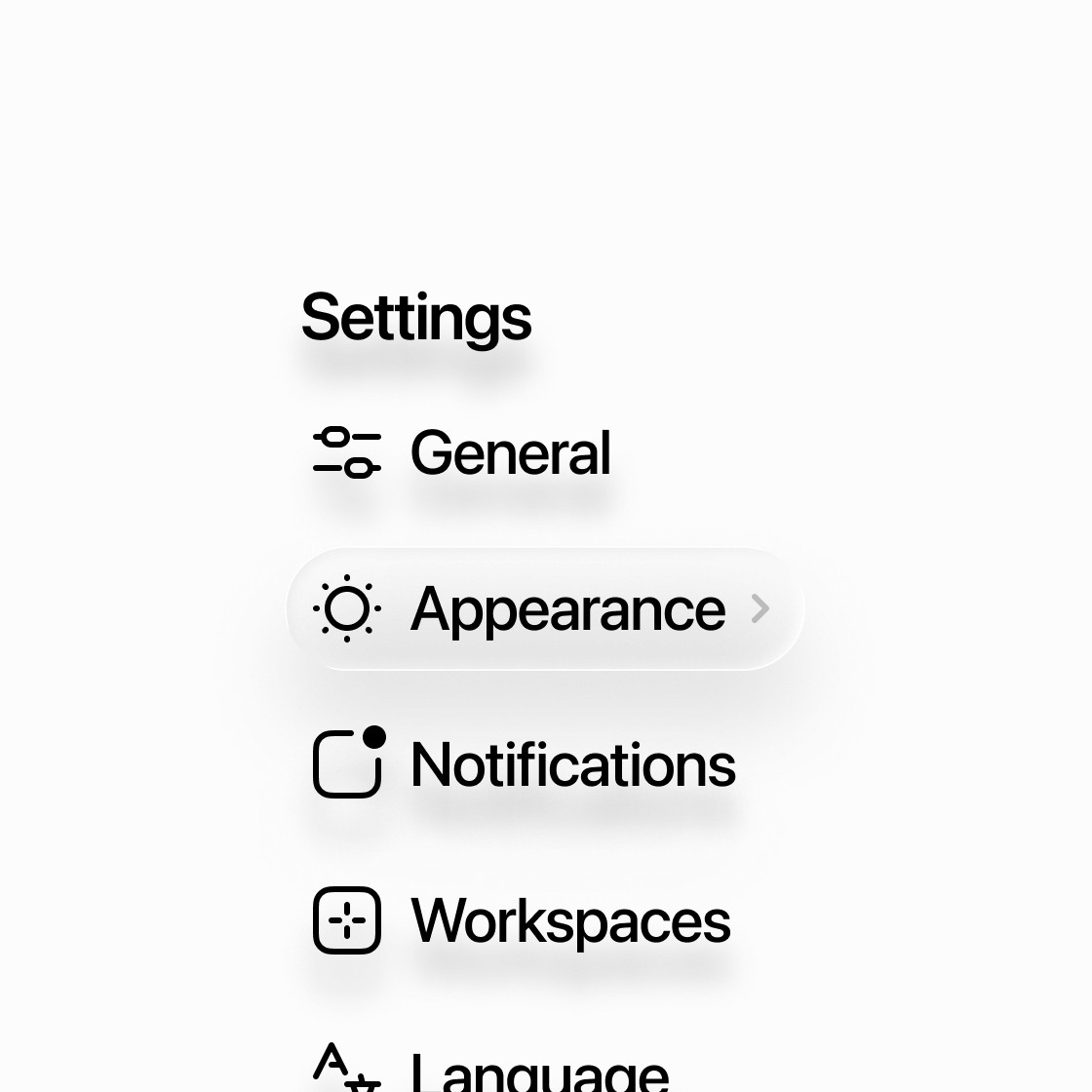
Smooth corner radius
Corner smoothing is applied to every single radius, giving the icons their distinctive and modern appearance.
Smooth corner radius
Corner smoothing is applied to every single radius, giving the icons their distinctive and modern appearance.
Smooth corner radius
Corner smoothing is applied to every single radius, giving the icons their distinctive and modern appearance.
Built with variables
Effortlessly switch the entire set's colors or seamlessly toggle between light and dark mode with a single click using variables.
Built with variables
Effortlessly switch the entire set's colors or seamlessly toggle between light and dark mode with a single click using variables.
Built with variables
Effortlessly switch the entire set's colors or seamlessly toggle between light and dark mode with a single click using variables.
Every style a variant
Each icon is a single component with five variants (styles): Line, Fill, Duo Line, Duo Fill, and Contrast.
Every style a variant
Each icon is a single component with five variants (styles): Line, Fill, Duo Line, Duo Fill, and Contrast.
Every style a variant
Each icon is a single component with five variants (styles): Line, Fill, Duo Line, Duo Fill, and Contrast.

Classic 24×24 size
All icons are built on the same icon grid and placed within a 24x24px container for maximum consistency.
Classic 24×24 size
All icons are built on the same icon grid and placed within a 24x24px container for maximum consistency.
Classic 24×24 size
All icons are built on the same icon grid and placed within a 24x24px container for maximum consistency.
Fully editable
Want icons that match your brand? Tweak everything from stroke width and corner radius to vector points.
Fully editable
Want icons that match your brand? Tweak everything from stroke width and corner radius to vector points.
Fully editable
Want icons that match your brand? Tweak everything from stroke width and corner radius to vector points.
Perfectly optimized SVGs
Utilizing Figma’s vector networks along with boolean groups simplifies every icon's structure, ensuring lightweight SVGs.
Perfectly optimized SVGs
Utilizing Figma’s vector networks along with boolean groups simplifies every icon's structure, ensuring lightweight SVGs.
Perfectly optimized SVGs
Utilizing Figma’s vector networks along with boolean groups simplifies every icon's structure, ensuring lightweight SVGs.
How to use
Switch variants to change styles
Switch variants
to change styles
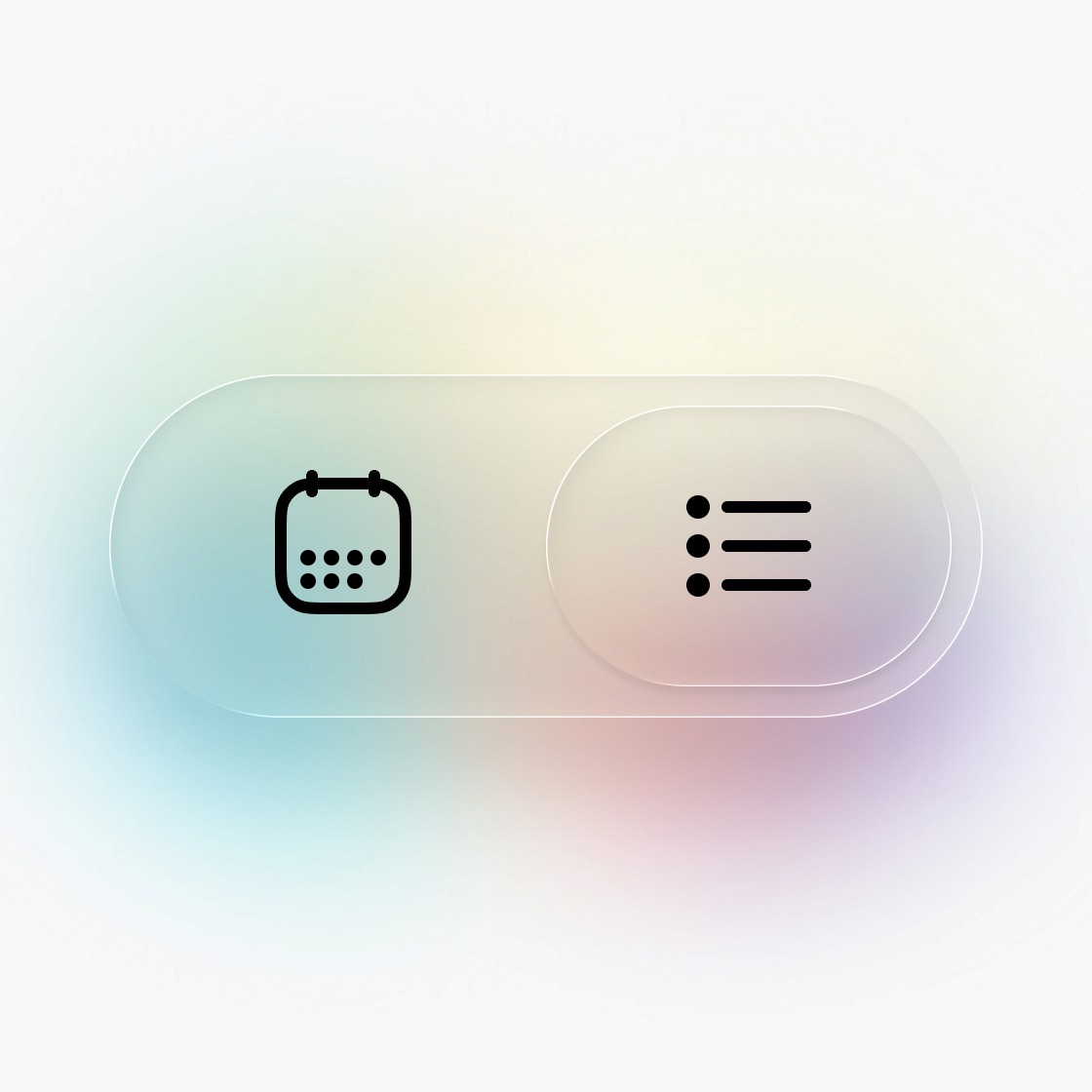
Switch every icon manually, or assign variables to switch them all in an instant. Component variants make it possible.



Pricing
Buy Infinicons once,
use them forever
Infinicons will grow over time. Buy them today and receive all upcoming updates free of charge.
Demo
$0
/Free Download
The best way to give Infinicons a try before buying.
300 icons included
5 icon styles
?
Use for free, forever
Free for personal use
Unlimited projects
Demo
$0
/Free Download
The best way to give Infinicons a try before buying.
300 icons included
5 icon styles
?
Use for free, forever
Free for personal use
Unlimited projects
Demo
$0
Solo
$59
/One-time purchase
Ideal for solopreneurs, designers, developers or just anyone really.
1,600 icons included
…with more to come!
5 icon styles
?
Buy once, use forever
Personal and commercial use
Unlimited projects
Ever-growing icon library
Regular icon releases
Free lifetime updates
Exported SVG library
Icon Requests
?
Email Support
Solo
$59
/One-time purchase
Ideal for solopreneurs, designers, developers or just anyone really.
1,600 icons included
…with more to come!
5 icon styles
?
Buy once, use forever
Personal and commercial use
Unlimited projects
Ever-growing icon library
Regular icon releases
Free lifetime updates
Exported SVG library
Icon Requests
?
Email Support
Solo
$59
Team
$249
/One-time purchase
Perfect for smaller teams, and startups that require more licenses.
1,600 icons included
…with more to come!
5 icon styles
?
Buy once, use forever
Personal and commercial use
Unlimited projects
Ever-growing icon library
Regular icon releases
Free lifetime updates
Exported SVG library
Icon Requests
?
Email Support
Team
$249
/One-time purchase
Perfect for smaller teams, and startups that require more licenses.
1,600 icons included
…with more to come!
5 icon styles
?
Buy once, use forever
Personal and commercial use
Unlimited projects
Ever-growing icon library
Regular icon releases
Free lifetime updates
Exported SVG library
Icon Requests
?
Email Support
Team
$249
Studio
$699
/One-time purchase
The ultimate package for growing agencies and mid-sized companies.
1,600 icons included
…with more to come!
5 icon styles
?
Buy once, use forever
Personal and commercial use
Unlimited projects
Ever-growing icon library
Regular icon releases
Free lifetime updates
Exported SVG library
Icon Requests
?
Email Support
Studio
$699
/One-time purchase
The ultimate package for growing agencies and mid-sized companies.
1,600 icons included
…with more to come!
5 icon styles
?
Buy once, use forever
Personal and commercial use
Unlimited projects
Ever-growing icon library
Regular icon releases
Free lifetime updates
Exported SVG library
Icon Requests
?
Email Support
Studio
$699
Good to know
Frequently asked questions
Not sure how to use Infinicons, or how using and updating the library works? Not to worry – this FAQ section has got you covered!
General
What are Infinicons?
Infinicons is an ever-growing icon library for Figma. All icons come in 5 styles to choose from: Line, Fill, Duo Line, Duo Fill and Contrast.
What sets Infinicons apart from other icon sets?
There are many great icon sets out there, each with its own style and use cases. Infinicons aims to join the ranks of these sets, bringing its unique take on style and versatility.
Aside from that, Infinicons has been built using state-of-the-art techniques, leveraging Figma’s built-in technologies like vector networks, boolean groups, and variables. This results in non-destructive shapes with smooth corners that are even rendered as such in exported SVGs. Every single icon is assigned multiple keywords, making it easy to find in Figma. Additionally, utilizing component variants reduces the number of components, resulting in a faster and more efficient icon search.
All of this makes the icons fully editable, lightweight, and consistent in style.
Who made this icon set, and why?
Infinicons were entirely made by me, Thomas. I am a Product Designer with over 15 years of experience. I have always loved designing icons, and out of my own necessity, I started creating an icon set for use in my own projects as well as my clients’ projects. While designing them, I quickly realized that others might also be interested in using them, so I turned them into a real product.
Who are these icons for?
Infinicons are made for anyone who cares about the details – designers, developers, solopreneurs, and makers who want icons that feel considered and consistent, not just functional.
Whether you're building an app, shipping a website, crafting a pitch deck, or putting together marketing assets, Infinicons fits right in. The set is versatile enough to work across product design, web, branding, and print – and easy enough to use that you don't need to be a Figma expert to get started.
How many icons are there?
Right now, Infinicons consists of 1,600 icons, comprising 320 unique icons, each available in 5 different styles. More icons are already in the works and are added to the library as free updates.
Will there be more icons?
YES! I love designing them and I have no intention to stop.
What do I need to use the icons?
Infinicons are designed for and built in Figma. To get the most out of them, I recommend using Figma to take full advantage of their features and flexibility. Figma also has a free tier, so you can definitely use the icon set without having a paid Figma license.
However, if you’re unfamiliar with Figma, each icon also comes as an exported SVG, which you can use in your projects without needing Figma.
Can I try Infinicons before buying?
Absolutely! There is a free demo version of the icon set that you can download completely free of charge. It includes 300 icons (60 unique icons in 5 styles each) for you to try before purchasing.
The free icons can be used in personal projects only. For more information, please refer to the license agreement.
Can I request icons?
Yes! By purchasing Infinicons, you’re eligible to request new icons. I review all requests, and if they align well with the library, they will be added to my list of planned icons.
However, I cannot guarantee when or if a requested icon will be included in the set at all. If a requested icon is created, it will be made available to all customers as part of a free update.
Please use this form to submit your icon requests.
License & Payment
How do licenses work?
Licenses are based on a per-seat usage model:
Solo License: Restricted to a single individual. The icons may be published as a Figma library, but only the licensed individual is permitted to use and/or edit them.
Team License: Allows up to five (5) individuals within the same organization or team. Each individual under the Team License must adhere to these terms.
Studio License: Permits up to twenty (20) individuals within the same organization or studio. Each individual under the Studio License must adhere to these same terms.
Additional users require additional seat licenses. Sharing a single-seat license (Solo License) among multiple individuals is not permitted.
The use of icons in an end product (e.g., personal or commercial projects, or resellable digital products) is only subject to a usage limit.
For more details, please refer to the license agreement.
Where can I use Infinicons?
Once purchased, you can use Infinicons virtually anywhere: Apps, websites, social media, marketing assets, print materials, eBooks, and more.
The only limitation is the maximum number of icons per unique end product:
For personal and commercial projects: Up to 100 unique icons (500 including all five styles).
For resellable digital products (e.g., website templates, eBooks, etc.): Up to 30 unique icons (150 including all five styles).
If you need more than that, feel free to reach out, and we can find a suitable agreement. For full details on usage limits, please refer to the license agreement.
Can I use the icons in other digital products?
Yes! In addition to personal and commercial (client) projects, you can use up to 30 unique icons (150 in 5 styles) in other digital products, such as website templates, eBooks, and the like.
For a detailed breakdown of how many icons can be embedded depending on the end product, please refer to the license agreement.
Why should I pay for icons?
A well-made icon set like Infinicons can save you hundreds of hours of work, which directly translates to time and money saved for you and your business.
If you want to give your projects a unique and professional touch, Infinicons could be the perfect fit. And if you’re unsure, you can always try the free demo version before making a decision!
Is this a one-time payment?
Yes, absolutely! No surprises. Every paid license includes free updates whenever I add and publish new icons.
However, if you really love Infinicons and want to support their continued development, you can donate any amount by purchasing the free demo version of the icon set.
General
What are Infinicons?
Infinicons is an ever-growing icon library for Figma. All icons come in 5 styles to choose from: Line, Fill, Duo Line, Duo Fill and Contrast.
What sets Infinicons apart from other icon sets?
There are many great icon sets out there, each with its own style and use cases. Infinicons aims to join the ranks of these sets, bringing its unique take on style and versatility.
Aside from that, Infinicons has been built using state-of-the-art techniques, leveraging Figma’s built-in technologies like vector networks, boolean groups, and variables. This results in non-destructive shapes with smooth corners that are even rendered as such in exported SVGs. Every single icon is assigned multiple keywords, making it easy to find in Figma. Additionally, utilizing component variants reduces the number of components, resulting in a faster and more efficient icon search.
All of this makes the icons fully editable, lightweight, and consistent in style.
Who made this icon set, and why?
Infinicons were entirely made by me, Thomas. I am a Product Designer with over 15 years of experience. I have always loved designing icons, and out of my own necessity, I started creating an icon set for use in my own projects as well as my clients’ projects. While designing them, I quickly realized that others might also be interested in using them, so I turned them into a real product.
Who are these icons for?
Infinicons are made for anyone who cares about the details – designers, developers, solopreneurs, and makers who want icons that feel considered and consistent, not just functional.
Whether you're building an app, shipping a website, crafting a pitch deck, or putting together marketing assets, Infinicons fits right in. The set is versatile enough to work across product design, web, branding, and print – and easy enough to use that you don't need to be a Figma expert to get started.
How many icons are there?
Right now, Infinicons consists of 1,600 icons, comprising 320 unique icons, each available in 5 different styles. More icons are already in the works and are added to the library as free updates.
Will there be more icons?
YES! I love designing them and I have no intention to stop.
What do I need to use the icons?
Infinicons are designed for and built in Figma. To get the most out of them, I recommend using Figma to take full advantage of their features and flexibility. Figma also has a free tier, so you can definitely use the icon set without having a paid Figma license.
However, if you’re unfamiliar with Figma, each icon also comes as an exported SVG, which you can use in your projects without needing Figma.
Can I try Infinicons before buying?
Absolutely! There is a free demo version of the icon set that you can download completely free of charge. It includes 300 icons (60 unique icons in 5 styles each) for you to try before purchasing.
The free icons can be used in personal projects only. For more information, please refer to the license agreement.
Can I request icons?
Yes! By purchasing Infinicons, you’re eligible to request new icons. I review all requests, and if they align well with the library, they will be added to my list of planned icons.
However, I cannot guarantee when or if a requested icon will be included in the set at all. If a requested icon is created, it will be made available to all customers as part of a free update.
Please use this form to submit your icon requests.
License & Payment
How do licenses work?
Licenses are based on a per-seat usage model:
Solo License: Restricted to a single individual. The icons may be published as a Figma library, but only the licensed individual is permitted to use and/or edit them.
Team License: Allows up to five (5) individuals within the same organization or team. Each individual under the Team License must adhere to these terms.
Studio License: Permits up to twenty (20) individuals within the same organization or studio. Each individual under the Studio License must adhere to these same terms.
Additional users require additional seat licenses. Sharing a single-seat license (Solo License) among multiple individuals is not permitted.
The use of icons in an end product (e.g., personal or commercial projects, or resellable digital products) is only subject to a usage limit.
For more details, please refer to the license agreement.
Where can I use Infinicons?
Once purchased, you can use Infinicons virtually anywhere: Apps, websites, social media, marketing assets, print materials, eBooks, and more.
The only limitation is the maximum number of icons per unique end product:
For personal and commercial projects: Up to 100 unique icons (500 including all five styles).
For resellable digital products (e.g., website templates, eBooks, etc.): Up to 30 unique icons (150 including all five styles).
If you need more than that, feel free to reach out, and we can find a suitable agreement. For full details on usage limits, please refer to the license agreement.
Can I use the icons in other digital products?
Yes! In addition to personal and commercial (client) projects, you can use up to 30 unique icons (150 in 5 styles) in other digital products, such as website templates, eBooks, and the like.
For a detailed breakdown of how many icons can be embedded depending on the end product, please refer to the license agreement.
Why should I pay for icons?
A well-made icon set like Infinicons can save you hundreds of hours of work, which directly translates to time and money saved for you and your business.
If you want to give your projects a unique and professional touch, Infinicons could be the perfect fit. And if you’re unsure, you can always try the free demo version before making a decision!
Is this a one-time payment?
Yes, absolutely! No surprises. Every paid license includes free updates whenever I add and publish new icons.
However, if you really love Infinicons and want to support their continued development, you can donate any amount by purchasing the free demo version of the icon set.
General
What are Infinicons?
Infinicons is an ever-growing icon library for Figma. All icons come in 5 styles to choose from: Line, Fill, Duo Line, Duo Fill and Contrast.
What sets Infinicons apart from other icon sets?
There are many great icon sets out there, each with its own style and use cases. Infinicons aims to join the ranks of these sets, bringing its unique take on style and versatility.
Aside from that, Infinicons has been built using state-of-the-art techniques, leveraging Figma’s built-in technologies like vector networks, boolean groups, and variables. This results in non-destructive shapes with smooth corners that are even rendered as such in exported SVGs. Every single icon is assigned multiple keywords, making it easy to find in Figma. Additionally, utilizing component variants reduces the number of components, resulting in a faster and more efficient icon search.
All of this makes the icons fully editable, lightweight, and consistent in style.
Who made this icon set, and why?
Infinicons were entirely made by me, Thomas. I am a Product Designer with over 15 years of experience. I have always loved designing icons, and out of my own necessity, I started creating an icon set for use in my own projects as well as my clients’ projects. While designing them, I quickly realized that others might also be interested in using them, so I turned them into a real product.
Who are these icons for?
Infinicons are made for anyone who cares about the details – designers, developers, solopreneurs, and makers who want icons that feel considered and consistent, not just functional.
Whether you're building an app, shipping a website, crafting a pitch deck, or putting together marketing assets, Infinicons fits right in. The set is versatile enough to work across product design, web, branding, and print – and easy enough to use that you don't need to be a Figma expert to get started.
How many icons are there?
Right now, Infinicons consists of 1,600 icons, comprising 320 unique icons, each available in 5 different styles. More icons are already in the works and are added to the library as free updates.
Will there be more icons?
YES! I love designing them and I have no intention to stop.
What do I need to use the icons?
Infinicons are designed for and built in Figma. To get the most out of them, I recommend using Figma to take full advantage of their features and flexibility. Figma also has a free tier, so you can definitely use the icon set without having a paid Figma license.
However, if you’re unfamiliar with Figma, each icon also comes as an exported SVG, which you can use in your projects without needing Figma.
Can I try Infinicons before buying?
Absolutely! There is a free demo version of the icon set that you can download completely free of charge. It includes 300 icons (60 unique icons in 5 styles each) for you to try before purchasing.
The free icons can be used in personal projects only. For more information, please refer to the license agreement.
Can I request icons?
Yes! By purchasing Infinicons, you’re eligible to request new icons. I review all requests, and if they align well with the library, they will be added to my list of planned icons.
However, I cannot guarantee when or if a requested icon will be included in the set at all. If a requested icon is created, it will be made available to all customers as part of a free update.
Please use this form to submit your icon requests.
License & Payment
How do licenses work?
Licenses are based on a per-seat usage model:
Solo License: Restricted to a single individual. The icons may be published as a Figma library, but only the licensed individual is permitted to use and/or edit them.
Team License: Allows up to five (5) individuals within the same organization or team. Each individual under the Team License must adhere to these terms.
Studio License: Permits up to twenty (20) individuals within the same organization or studio. Each individual under the Studio License must adhere to these same terms.
Additional users require additional seat licenses. Sharing a single-seat license (Solo License) among multiple individuals is not permitted.
The use of icons in an end product (e.g., personal or commercial projects, or resellable digital products) is only subject to a usage limit.
For more details, please refer to the license agreement.
Where can I use Infinicons?
Once purchased, you can use Infinicons virtually anywhere: Apps, websites, social media, marketing assets, print materials, eBooks, and more.
The only limitation is the maximum number of icons per unique end product:
For personal and commercial projects: Up to 100 unique icons (500 including all five styles).
For resellable digital products (e.g., website templates, eBooks, etc.): Up to 30 unique icons (150 including all five styles).
If you need more than that, feel free to reach out, and we can find a suitable agreement. For full details on usage limits, please refer to the license agreement.
Can I use the icons in other digital products?
Yes! In addition to personal and commercial (client) projects, you can use up to 30 unique icons (150 in 5 styles) in other digital products, such as website templates, eBooks, and the like.
For a detailed breakdown of how many icons can be embedded depending on the end product, please refer to the license agreement.
Why should I pay for icons?
A well-made icon set like Infinicons can save you hundreds of hours of work, which directly translates to time and money saved for you and your business.
If you want to give your projects a unique and professional touch, Infinicons could be the perfect fit. And if you’re unsure, you can always try the free demo version before making a decision!
Is this a one-time payment?
Yes, absolutely! No surprises. Every paid license includes free updates whenever I add and publish new icons.
However, if you really love Infinicons and want to support their continued development, you can donate any amount by purchasing the free demo version of the icon set.
Newsletter
Never miss a thing
Sign up for our free newsletter to be the first to hear about new icon drops, tutorials, digital products, discounts, giveaways, and special offers.
